
Vertex² User Manual · PDF page 6
Connecting Cables to Vertex²
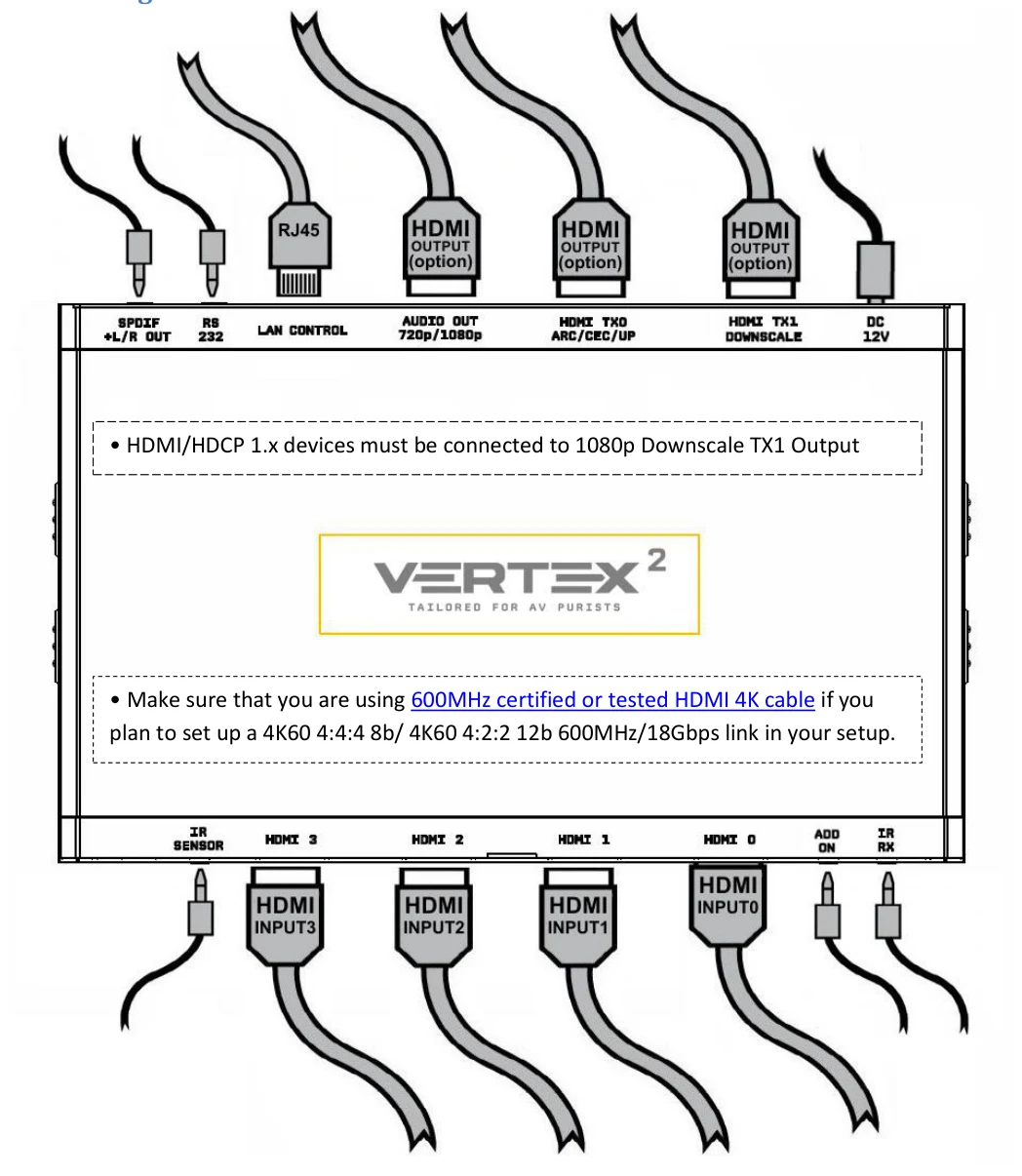
- HDMI/HDCP 1.x devices must be connected to 1080p Downscale TX1 Output port.
- Make sure that you are using 600MHz certified or tested HDMI 4K cable if you plan to set up a 4K60 4:4:4 8b/ 4K60 4:2:2 12b 600MHz/18Gbps link in your setup.
- Connect Power connector from Power supply (110-240V 1.2A IN & 12V 1A OUT).
- Connect a source via HDMI input cable to ANY HDMI input.
- Connect any other HDMI, sound, IR or RS232 cable that you might need (optional)
- HDMI cable must support 18Gbps if any 18Gbps source/sink is connected (except for Audio Out)